How to Get SAP ERP Data Into a Knowledge Graph
Connect SAP ERP relationships as RDF triples so AI understands how data connects.
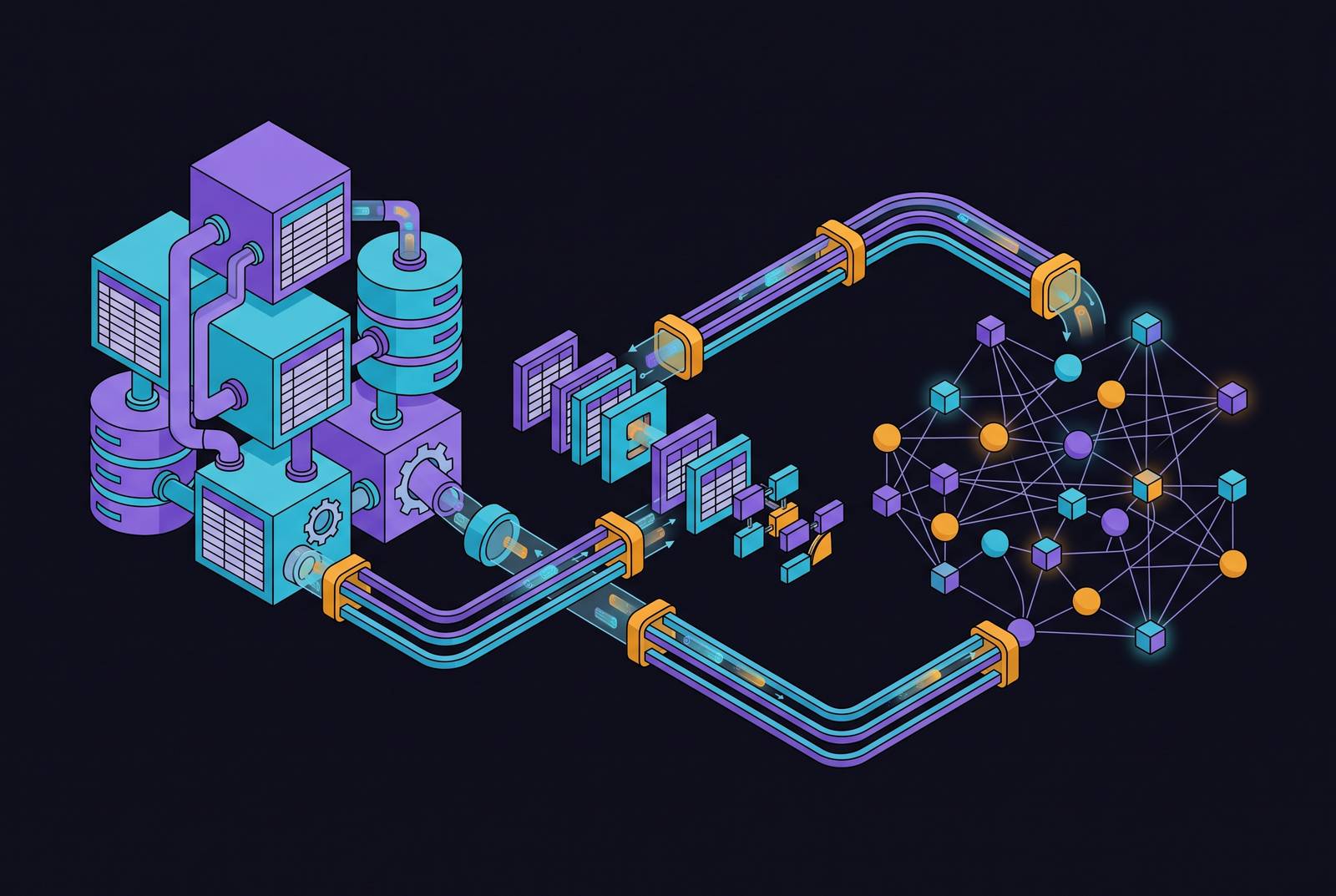
A knowledge graph connects your SAP data so an AI model can see not just the records but how they relate to each other. This page explains what that means, how the data moves in, and what to watch out for.
For mid-market manufacturers running SAP ERP, two providers have documented capability to model purchase order, vendor, and cost center relationships as RDF triples inside a knowledge graph. SAP HANA Cloud's knowledge graph engine, described in SAP's Q1 2025 release highlights, includes built-in RDF storage and SPARQL querying, meaning those relationships can be expressed as three-part statements of the form "Purchase Order 4500123 references Vendor 100234" without moving data to an external service. SAP also completed its acquisition of Reltio on 7 May 2026, positioning it as part of making SAP and non-SAP data ready for AI, though the release status of specific integrations should be verified before planning an implementation. SAP HANA Cloud's knowledge graph engine, SAP Knowledge Graph, SAP Datasphere, and SAP Business Data Cloud each have distinct roles and interfaces, so confirmed capability for one product should not be assumed to extend across all of them.
SAP ERP data is spread across records, business rules and custom workflows. Connecting an AI model to those records is only part of the job. The model also needs to understand how a purchase order, supplier, payment term and cost centre relate. It also needs to know which source backs up each answer.
Relational databases store records and relationships through keys and links between tables. But the full business meaning often spans several systems, custom code and process documents. For example, a payment term, purchase order and cost centre may be linked in the database. The reason for an exception might live in an email or a controller's memory. A knowledge graph brings those sources together in one shared model.
An AI language model needs more than a list of table names to answer business questions reliably. Vector search (a technique that finds text with similar meaning) can retrieve relevant passages. A knowledge graph can show relationships between records, policies and events. Neither technique alone proves that one event caused another. If a project delay appears alongside a falling margin, the system still needs evidence before presenting the delay as the cause.
What a knowledge graph adds to SAP data, and what it does not replace
A knowledge graph's real value is the shared vocabulary beneath it. That vocabulary is a formal model that fixes standard terms, categories and rules across the business. It means "customer" means the same thing in finance as in sales. It means "delivery date" is not three different fields depending on which module you are in. That shared vocabulary is what makes the graph readable by a person and a machine at the same time.
One common graph format is RDF (Resource Description Framework), which records facts as three-part statements: "Purchase Order 4500123 references Vendor 100234." Property graphs are another option. In either case, record where each relationship came from and how confident you are in it. A stored link may come from a verified record, a business rule or an inference. Those are different kinds of evidence.
Vector search finds items with similar meaning. A knowledge graph records direct connections between things. Think of the first as finding relevant pages. Think of the second as following links between the people, orders and policies on those pages. Keeping track of sources and retrieval steps requires the system to store that information. A graph does not supply it automatically.
Vector and graph retrieval can work together. Compare each approach on representative business questions. Measure answer quality, traceability, speed and running cost. Use the combination that improves the workflow.
A graph does not fix incomplete, stale or contradictory records by itself. Resolve conflicting supplier identities, outdated policies and missing fields during ingestion (the process of loading data in). Preserve unresolved uncertainty in the graph. Otherwise, a well-structured answer can still be wrong.
Which providers can model SAP purchase order, vendor, and cost center relationships as RDF triples in a knowledge graph?
How you design data loading depends on where the graph will run and how it will stay current. An external graph service needs a supported way to extract data or definitions. It also needs a plan for keeping them in sync. A built-in graph capability may reduce some data movement. But its supported sources and operations still need to match your workflow.
SAP's Q1 2025 release highlights describe built-in RDF storage and SPARQL querying (a standard way to query graph data) in SAP HANA Cloud's knowledge graph engine. They also describe support for graph-based retrieval-augmented generation (using graph relationships to give an AI model better context). This gives teams a documented option for querying graph data within HANA Cloud. Check the supported query and integration features for the version you have deployed. SAP release highlights.
Keep the products distinct when planning an implementation. SAP HANA Cloud's knowledge graph engine is a database capability. SAP Knowledge Graph, SAP Datasphere and SAP Business Data Cloud each have their own roles, interfaces and release status. Do not assume that a capability announced for one product is available in all of them.
Turning SAP's table structure into a graph model: the key decisions
Start with supported business views and definitions before you extract raw tables. SAP Core Data Services (CDS) views are pre-built definitions of business entities with built-in descriptions and links. They can help describe what each record means. Use those where available, then check them against the customer's custom fields and processes.
Deciding which connections become links in the graph is harder. The foreign keys that join tables in a database are the obvious first signal. They will get a modelling team most of the way to a usable skeleton. But many business-critical relationships were never encoded as a foreign key. They live in a custom piece of code that runs during document posting. Or they live in a process document describing a workflow nobody ever put into the database.
For example, a billing document may relate to a delivery through several intermediate records. Verify the actual path for the relevant SAP process before turning it into a graph relationship. A business owner should confirm that the modelled relationship means what the workflow assumes it means.
How SAP data physically moves into the graph
Use definitions to design the graph, then choose how to load and refresh business records. These are complementary steps rather than three interchangeable loading methods.
Definition-first loading reads the structure and descriptions before loading transaction records. This lets the team validate the model on a small sample. It also helps catch mismatched meanings early.
Batch loading pulls records on a schedule through supported data products, exports or connectors. It suits workflows that can tolerate a short delay between a source update and its appearance in the graph. Confirm the objects and refresh options available in the relevant SAP service.
Change data capture (CDC) updates the graph as source records change. It is useful when decisions need fresher data. Plan for deleted records, replaying missed updates, schema changes and gaps in the event stream. Compare the running cost with the freshness the workflow actually needs.
Connecting non-SAP data is a product-specific question. SAP Datasphere documents connections to SAP and non-SAP sources, including cloud and on-premises systems. Supported operations differ by connection type. Check the required sources, objects, access method and refresh rate for your workflow. Do not rely on an old roadmap date. SAP connection documentation.
Master data quality belongs in the loading plan. Resolve duplicate Business Partner records, incomplete material records and conflicting hierarchies before they distort graph relationships. SAP completed its acquisition of Reltio on 7 May 2026 and describes it as part of making SAP and non-SAP data ready for AI. Check the release status of any specific integration you plan to use. SAP acquisition announcement.
How the graph helps AI act reliably on SAP data
Graph RAG (retrieval-augmented generation) uses graph relationships to give an AI language model useful context before it answers. A system can combine relevant text with entity links, hierarchies, dates and policy information before asking the model to respond. That supplies useful context. It does not make every relationship verified or every answer correct.
For a question such as "Which orders are overdue?", the system needs an agreed definition of overdue. It also needs the relevant order and delivery records and the user's access permissions. The graph can help identify those relationships. Test the answer against known cases, including partial deliveries, changed dates and exceptions.
Following several relationships can connect a supplier, order, financial posting and governing policy in one investigation. This is useful when the question crosses business functions. Preserve the source and date of each link so a reviewer can check how the system reached its answer.
Rules, audit trails and SAP's API policy
SAP API Policy v.4.2026a, section 2.2.2, restricts API integration with autonomous, semi-autonomous or generative AI systems that plan, select or execute sequences of API calls. It explicitly excepts uses within SAP-endorsed structures, data services or service-specific pathways identified for those purposes. Check the intended API use against the relevant documentation and permitted pathway. Using an intermediary does not remove the policy's controls. SAP API Policy.
For an agent that can take actions, define its permitted operations before you enable writes. Also define the conditions under which a person approves within limits they set, and the decision record it must keep. Check the applicable SAP service documentation and contractual pathway for both retrieval and action. Keep read access, write authority and the ability to trigger a sequence of actions separate.
The EU Data Act includes rights concerning data from connected products and related services. It also has separate rules for switching between data-processing services. Those rules do not give you open permission to call any enterprise API. Work out which rules apply to the data and service you are using. SAP's API policy also preserves legally required export and other data-transfer obligations. EU Data Act.